
DB24 Portal Audit Events
Introduction
DB24 Portal maintains a comprehensive audit trail for configuration changes, logging them in the [log].[AuditEntry] table. This table records detailed information about each configuration change, including the object that was added, updated, or removed, and identifies the user who made the change along with the timestamp.
Both the previous and new values are stored, enabling a full historical record of all configuration updates.
For simplified access, the view [control].[AuditLogs] is available. It organizes and enriches the data with additional context, making it easier to analyze and track changes.
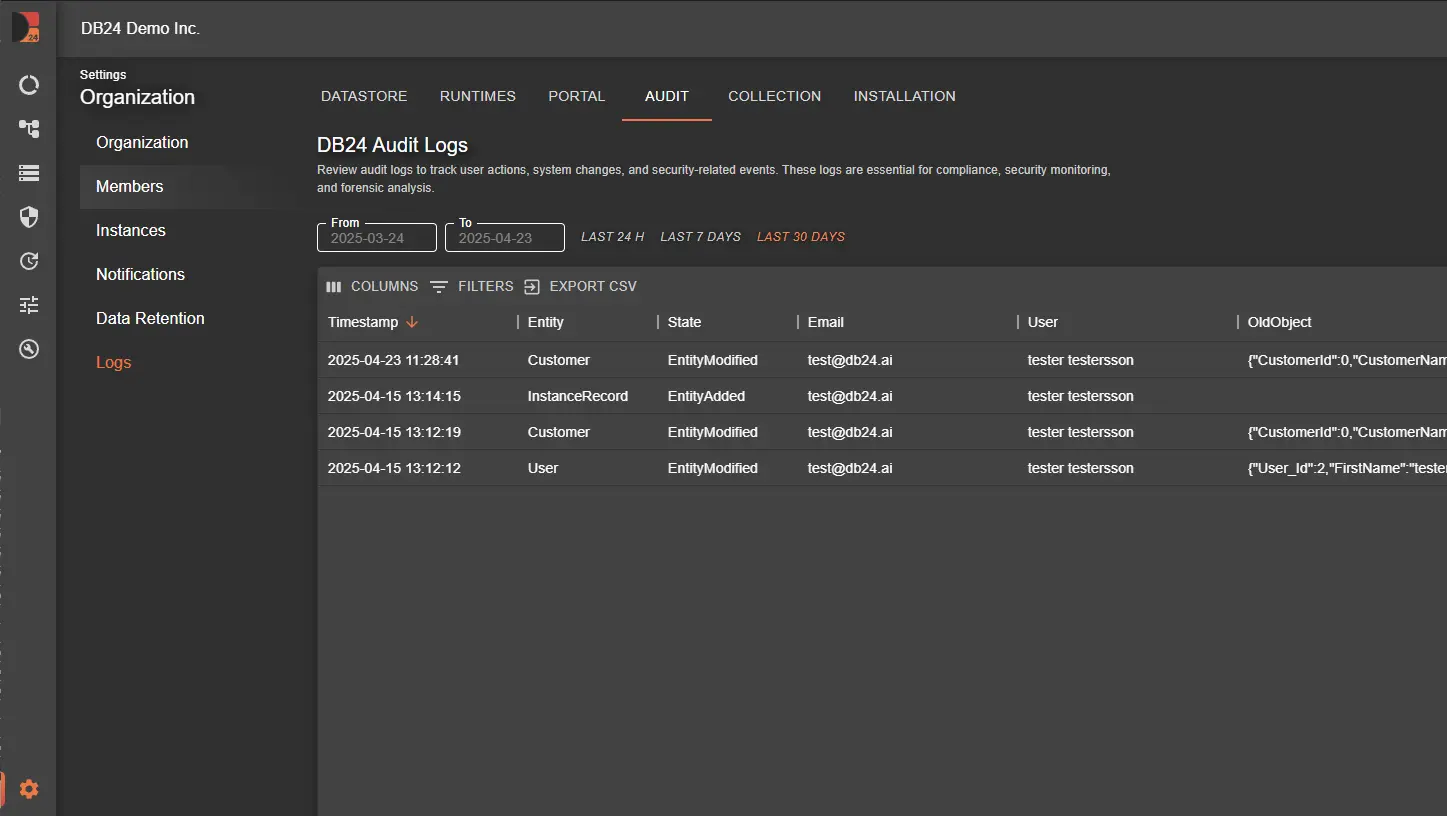
Example Queries for Accessing Audit Data
Here are example queries to help you retrieve and analyze audit information from the [log].[AuditEntry] table.
The recommended approach is to use [control].[AuditLogs] for a more organized view.
Retrieve All Changes for a Specific Entity Type
To view all audit entries related to a particular entity type, such as DataRetentionRecord, you can use the following query to see changes made within the system.
SELECT *
FROM [DB24_MAC].[control].[AuditLogs]
WHERE [EntityTypeName] = 'DataRetentionRecord';
Retrieve Recent Changes by a Specific User
For tracking recent configuration changes made by a specific user, this query filters audit entries by CreatedByUserId. Replace 42 with the user ID you wish to investigate.
SELECT *
FROM [DB24_MAC].[control].[AuditLogs]
WHERE [CreatedByUserId] = 42;
These queries provide insight into configuration changes in DB24 Portal, enabling you to monitor adjustments, track specific user actions, and support comprehensive auditing.
Related Documentation
- DB24 Overview - Platform introduction