What's new in DB24 2026.4
Ask your AI assistant about your SQL Servers, give management a report they can read, and see when every database last passed a check.
DB24 2026.4 in one minute.
Key takeaways:
- With the new MCP server, DB24 extends into the AI assistant you already use. Everything DB24 collects about your SQL Server estate becomes answers anyone on your team can ask for, so the same team can get more done. It only reads, it never connects to your SQL Server instances, and you decide what it can see.
- A new Environment Report gives management a printable overview of the whole estate, for the last 30 or 60 days or any period up to a year.
- Integrity checks can run lighter during the week and in full on the days you choose, and one report shows when each database last passed one.
- Approval of database triggers, maintenance by tag across many servers, and a faster portal take more manual work off your team.
For your technical team
The release notes cover every change in 2026.4 in detail, including the new Central Sync address that your firewall may need to allow.
It is Monday morning, and a message is waiting: management meets at ten and wants to know how the SQL Server estate is doing. Are we behind on patches? Is anything running out of space? Did last week's jobs run?
In many organisations, questions like these go to the one or two people who know where to look, and on a Monday they are usually busy with something else. DB24 2026.4 is built for days like this one. Here is how the day goes with the new release.
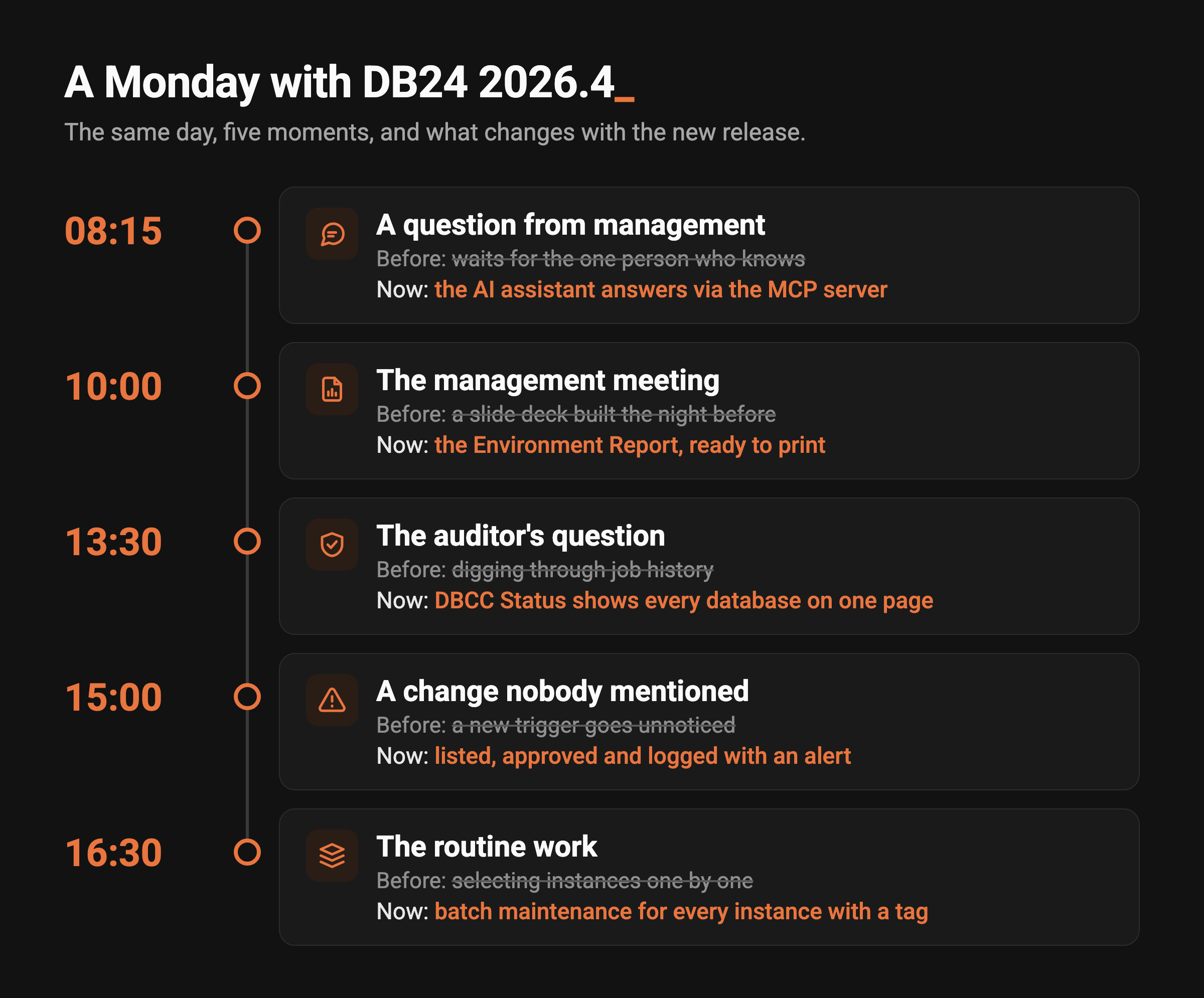
08:15: The question gets an answer straight away
Instead of waiting for the specialist, someone opens the AI assistant the organisation already uses and asks. With 2026.4, DB24 comes with an MCP server, which lets an assistant that supports the Model Context Protocol ask DB24 on your behalf. Which instances are behind on patches? Which volumes are running out of space? Which jobs failed this week?
The answers come from what DB24 already collects. The MCP server only reads, and it never connects to your SQL Server instances. Your administrators decide which tools are switched on and which instances each API key can reach, keys have an expiry date, and every request is logged. You also choose the assistant and the model you trust, whether that is a service your organisation already uses or a model you run yourselves.
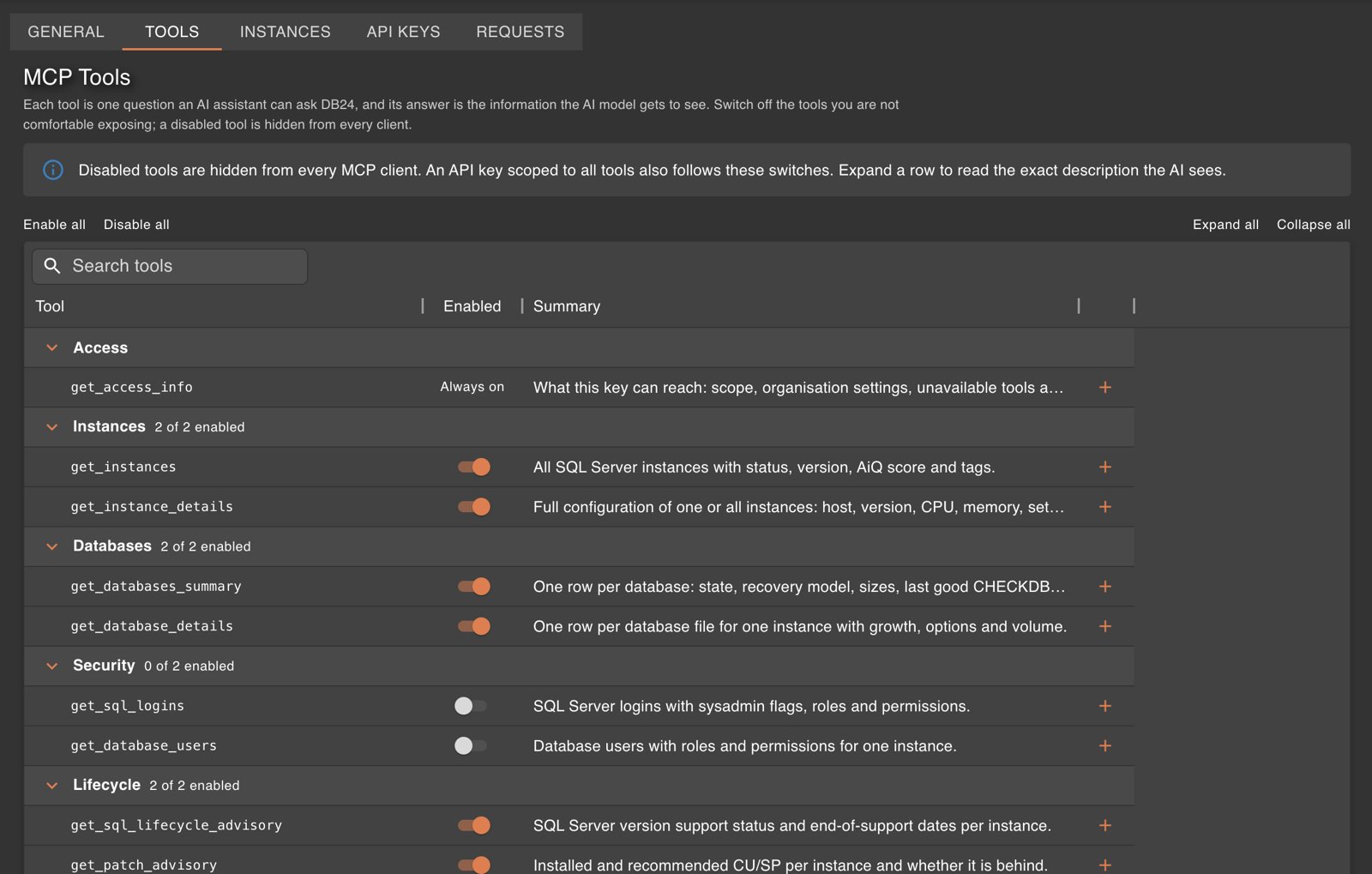
Administrators choose which questions the AI assistant may ask DB24. Demo environment with sample data.
The specialist keeps working on what they were doing, and the question is answered before the meeting. Read more on the MCP page.
10:00: The estate goes into the management meeting
Nobody has to build a slide deck the night before. The new Environment Report is made for people who do not open the DB24 portal every day: it sums up the state of the estate on A4 pages, with health, risks and what to prioritise. You choose the period, 30 or 60 days or a custom range of up to a year, and save it as a PDF from the browser.
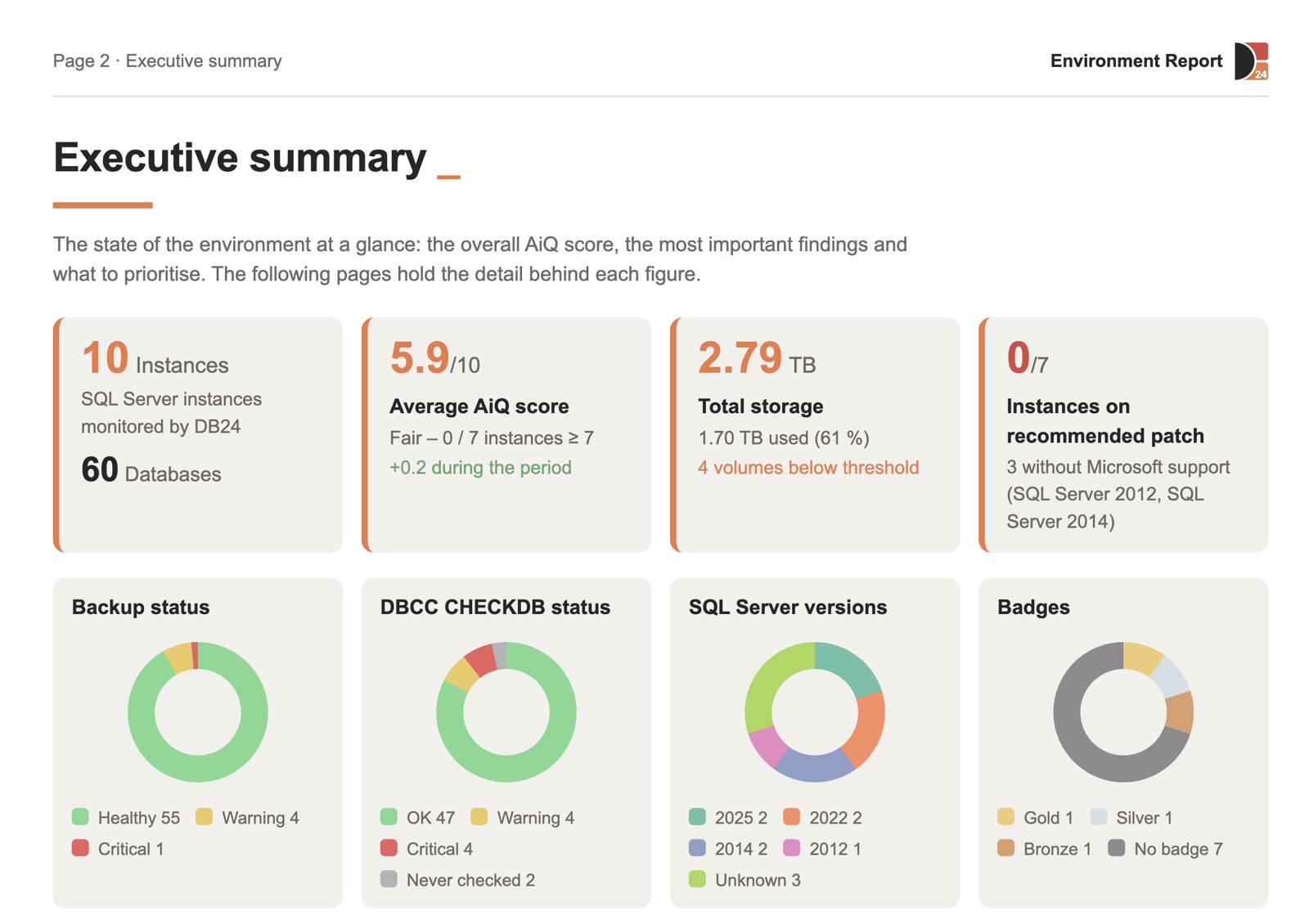
The executive summary page of the Environment Report. Demo environment with sample data.
The same report works for a budget discussion or an audit, so the next time someone asks how the databases are doing, the answer is already on paper.
13:30: An auditor asks when each database was last checked
A consistency check tells you whether a database is physically and logically sound. Running a full check every night can be heavy on large databases, so many teams run them less often than they should, and answering the auditor means digging through job history.
In 2026.4 each instance gets two schedules: a full check on the weekdays you choose and a lighter, physical-only check on the others. Small databases still get the full check every time. A new DBCC Status report shows, for every database, when it last passed a check, sorted into OK, Warning, Critical and Never. If a database goes more than seven days without a good check, it is raised as a recommendation in the Monthly Brief.
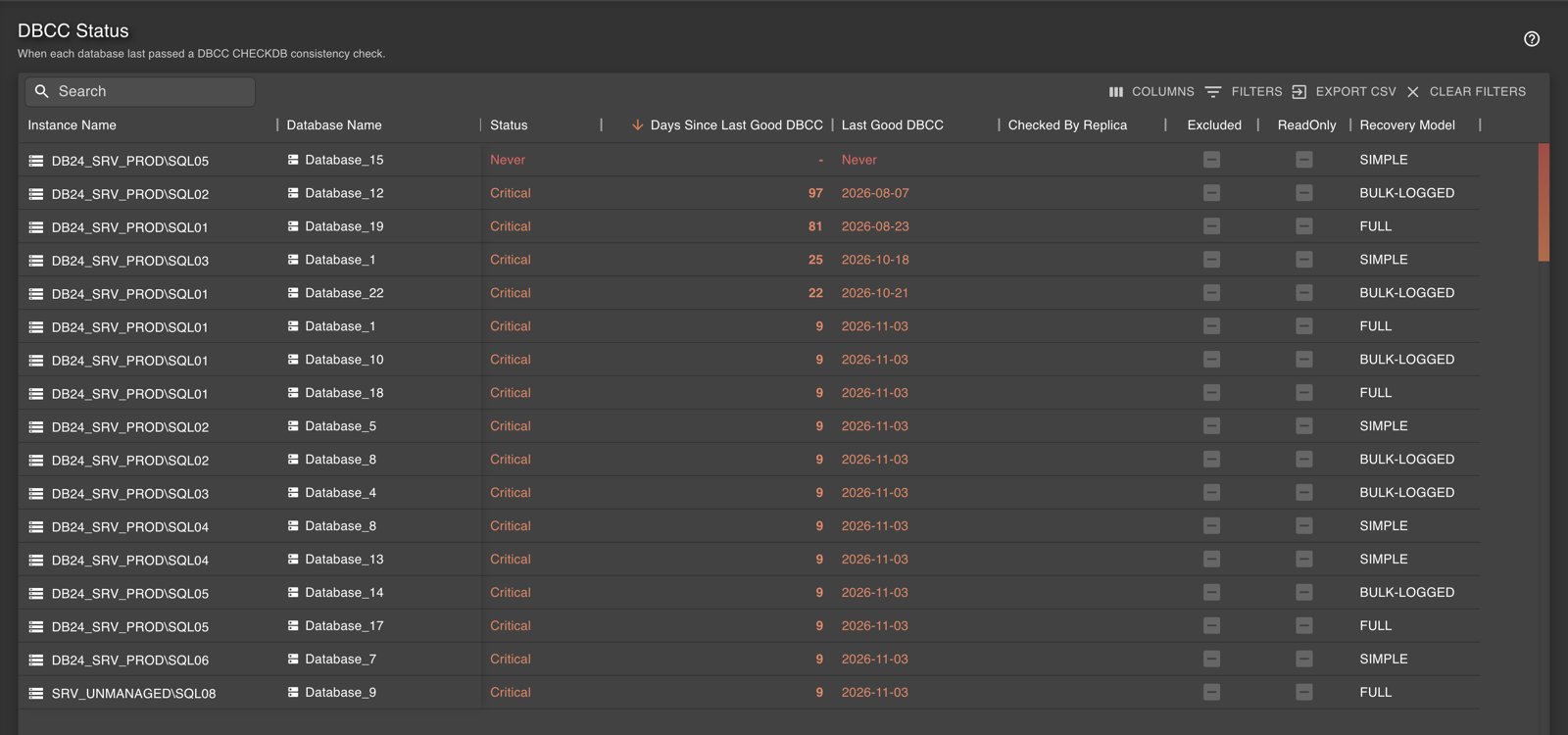
DBCC Status: when each database last passed a consistency check. Demo environment with sample data.
This time the answer to the auditor fits on one page.
15:00: A change nobody mentioned
Database-level DDL triggers can change how a database behaves, and they are easy to add and easy to forget. DB24 now lists them, lets administrators approve or revoke each one, and logs every change as a security audit event with an alert. If you want, maintenance can also skip databases with triggers nobody has reviewed yet. A trigger that appeared without anyone saying so no longer goes unnoticed.
16:30: The routine work, done in one go
Before the day ends, there is maintenance to schedule across many instances, and when you run dozens of them the work is often in the selecting. Maintenance and backup batch operations can now target instances by tag, and the list is shown before anything is pushed out. Tag filters accept "any" or "all" across the portal. Maintenance hours can be set to a full day with a single checkbox.
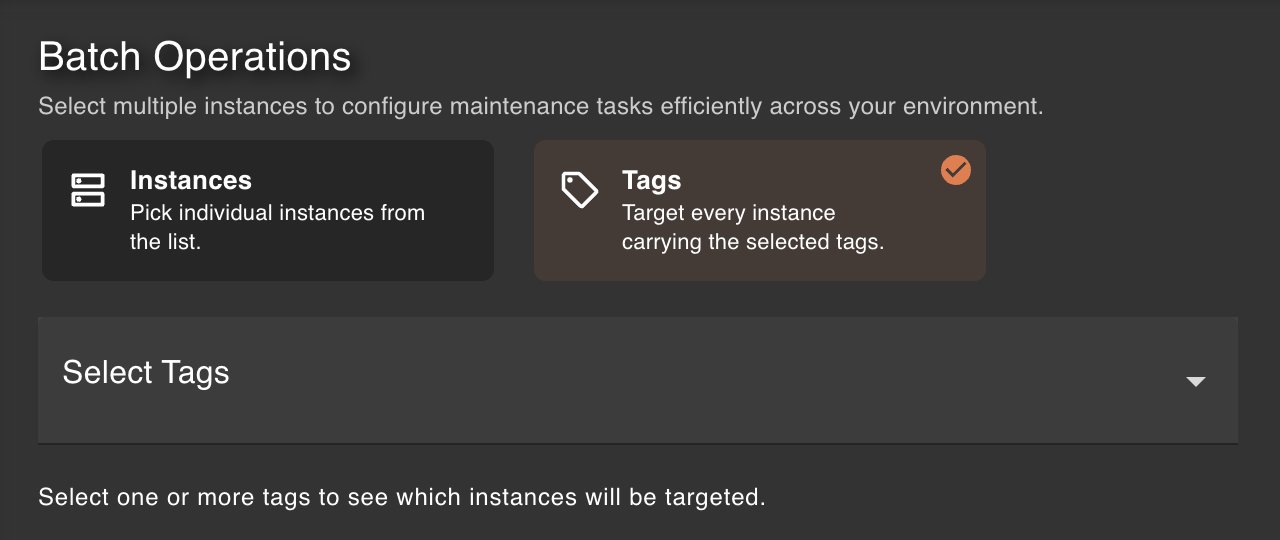
Batch maintenance can now target instances by tag. Demo environment with sample data.
The portal is also faster, especially the Dashboard, Canvas and AiQ pages, and harder to misuse: roles are checked more strictly, members can only be managed within their own organisation, logs are visible to administrators only, and sessions expire after 30 days.
Next Monday
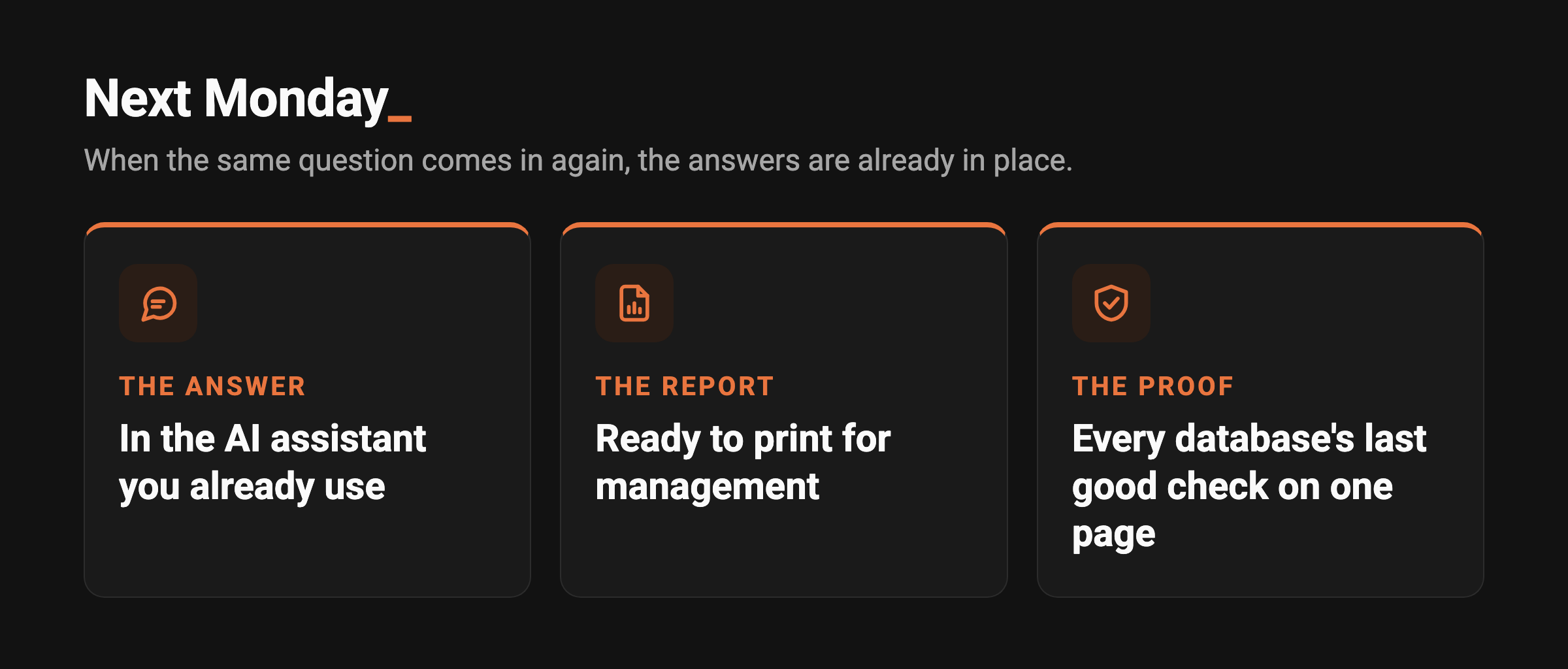
The same message will arrive again. With 2026.4 the answer is in the assistant you already use, the report for management is ready to print, and the proof that every database is checked is on one page.
Most of what is new is ready to use as soon as you upgrade. The MCP server is switched on by an administrator, and it is the feature where a short walkthrough pays off most: which tools to open, which instances to include, and which assistant to connect.
Book a walkthrough with your DB24 contact, and we will go through it together on your own environment.
For the full technical detail, including one small firewall change for Central Sync that your team can make when it suits them, see the release notes for DB24 2026.4.